
Someone told you to add schema markup to your website. Maybe a developer said it in passing, or a checklist mentioned it, or an SEO audit tool flagged it. The advice probably came with a confident “this helps with search” and no further explanation.
Some of it does help. Some of it does nothing. Some of it was useful three years ago and has been quietly deprecated by Google. If you add everything an audit tool suggests, you will have a lot of structured data on your site and no clear idea what it is doing for you.
Here is what schema markup is, what it does for a service business, which pieces are worth your time, and which ones you can safely ignore.
What schema markup is, without the jargon
Schema markup is code you add to your web pages that describes what those pages contain in a format search engines can read. Think of it as a label on each piece of content that says “this is a business address,” “this is a customer review,” or “this is an FAQ answer.” A search engine reads the label and knows what it is looking at without guessing.
The labels come from a shared vocabulary called schema.org, maintained by Google, Microsoft, and Yahoo. It covers hundreds of content types. Most of them do not matter to your business. The vocabulary was built for the entire web, which means it includes schemas for movies, recipes, sports events, and medical conditions. A plumber in Des Moines does not need the same structured data as a recipe site.
When someone says “add schema,” what they mean is add structured data that follows that vocabulary so search engines can parse it. The format most sites use is JSON-LD, which is a small block of JSON code in the page header. It does not change what a visitor sees. It only talks to crawlers and AI assistants that read the code behind the page. Those assistants increasingly decide what to cite by what they can parse cleanly, which is the same ground we cover in how to get cited by AI search. You can also use microdata or RDFa, but JSON-LD is the one Google recommends and the one every modern plugin outputs.
The types that matter for a service business
If you run a service business, three types of schema do most of the heavy lifting: LocalBusiness, Organization, and the review markup that shows stars in search results. Everything else is either niche or vestigial.
The reason these three matter is that they populate the features a potential customer sees before they click through. Your business address, hours, phone number, and reviews appear in the Google Business Profile panel and in search snippets. If that information is accurate and consistent across the structured data on your site, Google can surface it confidently. If it conflicts or is missing, Google falls back on whatever it can scrape from the visible page, which is less reliable and slower to update.
Think of it like a business listing in a printed directory. The directory publisher can either trust the information you submitted directly, or they can read your ad and try to extract the address and hours from the text. The first is faster and more accurate. Schema markup is the first approach. Scraping is the second.
LocalBusiness, Organization, and the sameAs problem
LocalBusiness tells a search engine where you are, when you are open, and how to reach you. It includes fields for street address, phone number, opening hours, price range, and the geographic area you serve. If you have a storefront or serve a specific region, this is the one that matters most for your local search presence.
Organization is the broader version. It describes who you are as a company, what you do, and where your official profiles live across the web. The sameAs property is the part people get wrong. It links your structured data to your profiles on other sites: your Google Business Profile, your Facebook page, your LinkedIn company page. It tells Google “this is the same business as the one at this URL.” When sameAs is filled in correctly, Google can cross-reference your identity across the web and have more confidence that the information on your page is authoritative. When it is wrong, missing, or pointing to dead profiles, that confidence drops.
We have seen sites where sameAs pointed to a Facebook page that had been deleted, a LinkedIn company page that was never claimed, and a Yelp profile that belonged to a different business with a similar name. Each one undercut the rest of the structured data on the page. Google could not verify the business identity across platforms, so it treated the information on the site as less trustworthy.

FAQ and HowTo: what changed and what still works
FAQ schema used to produce rich snippets in Google search results. You could add a block of FAQ structured data to your page and Google would display the questions and answers directly in the search result, taking up more space and pushing competitors further down the page. Google deprecated that display in 2023. You will still see older SEO articles recommending FAQ schema for “increased visibility” and “enhanced SERP presence.” That advice is out of date.
What works now is the content itself. If your page has clear questions and answers written in plain language, AI assistants like Google’s AI overviews and ChatGPT can pull from it when someone asks a question your page answers. The schema does not hurt, but the visible content is what matters. Adding FAQ schema to a page with no FAQ content does nothing. Adding FAQ content to a page without schema still works, because the AI reads the page the way a person would.
HowTo schema is the same story. Google removed HowTo rich results from search in 2023. The structured data still exists in the schema.org vocabulary, but it no longer produces a visible snippet in Google results. If you have step-by-step instructions on your page, write them well and structure them with proper headings. Skip the schema. The time you would spend on it is better spent on the content itself.
Review and rating markup: the rules you can’t break
Review markup is the one that can get your site penalized. Google has specific policies for review schema, and they have been enforced unevenly but increasingly strictly since 2022. The penalties are not theoretical. Sites have lost their star ratings in search results overnight, and in some cases received manual actions in Google Search Console.
The short version: you can use review markup for reviews of your business collected from customers, and you can use it for reviews of products you sell. You cannot generate self-serving reviews, you cannot aggregate reviews from other sites and pass them off as your own, and you cannot use review markup on a page that is not about the thing being reviewed.
The most common violation we see is businesses adding review schema to their homepage with a star rating they came up with themselves. Google’s guidelines call this “self-serving reviews” and they will flag it. If the stars in your search result disappeared overnight, this is the first place to look. The fix is to collect real reviews through a platform that verifies them, like Google Reviews, and let the markup point to those.
Testing what you’ve added
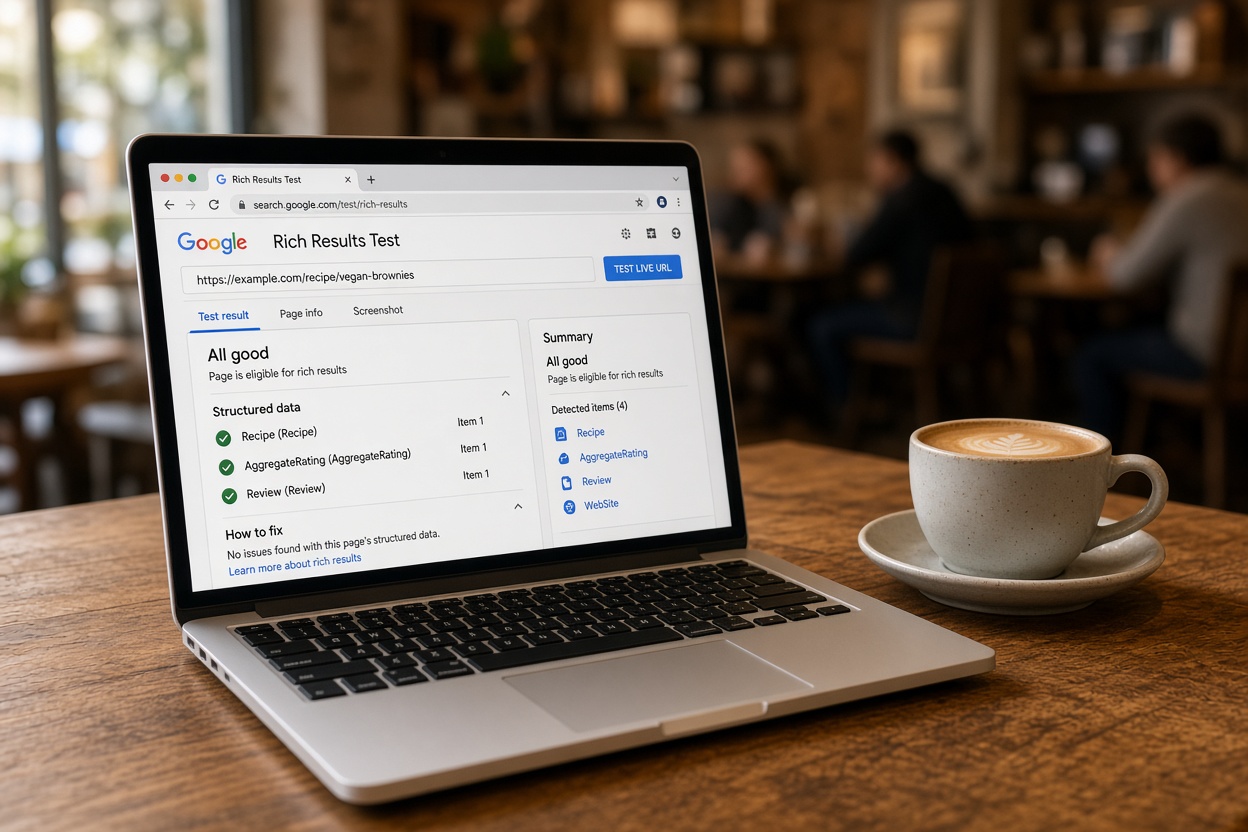
Google’s Rich Results Test is the tool that tells you whether your structured data is valid and whether Google will use it. Paste your URL in and it reports which schema types it found, which fields are missing, and which rich results they qualify for.
The test that matters is not “did the validator pass.” A page can pass validation and produce no rich results because Google has deprecated that feature for that schema type. The test that matters is “did the validator report that this schema type is eligible for a rich result.” If it says the schema is valid but no rich result is available, you have valid code doing nothing for your search appearance.
Run the test after you add schema, not before. Add the markup, test the URL, fix what it flags, and then check back in a week or two to see whether the snippets appear in live search results. Google’s indexing takes time, and a passing test on day one does not guarantee a rich result on day two.
If you use a WordPress SEO plugin like Rank Math or Yoast, most of the schema output is handled for you. The plugin generates the LocalBusiness and Organization markup from your business settings. That is a good starting point. The problems come when the settings are wrong: an old address, a phone number that changed, a logo that was swapped without updating the structured data. The plugin does what you tell it. If you tell it the wrong thing, Google reads the wrong thing. Catching those mismatches is part of the schema audit we run as part of our SEO work.
The schema you can safely skip
Most of schema.org is irrelevant to a service business. Event, Course, Recipe, Movie, and dozens of other types exist for publishers with that kind of content. Adding them to a site that does not host that content does nothing, and some of them can confuse a crawler that expects to find the fields they describe.
Breadcrumb schema is useful if you have a deep site structure with multiple levels of pages. Article schema is useful if you publish a blog and want Google to understand the author and publish date. Service schema, the specific type for describing individual service offerings in detail, is useful if you have dedicated service pages and want to be explicit about what each one covers.
Beyond that, the return on effort drops fast. Sitelink search box schema only helps if your site already gets sitelinks in search. Video schema helps if you host video content. Speakable schema was designed for voice assistants and has limited support. If you are not sure whether a schema type applies to your site, the answer is usually no.
If an audit tool flags “missing schema” on your site, read which type it is asking for before adding it. A tool that flags a missing QuantitativeValue on your hours page is not telling you something is broken. It is telling you a field exists in the vocabulary that you could populate. Most of the time, the field is not worth the code.
What to do next
Start with LocalBusiness schema on your homepage and contact page. Fill in every field you can verify: address, phone, hours, service area. Link your sameAs profiles to live URLs only. Add review markup only if you have real customer reviews and you follow Google’s guidelines. Test it with the Rich Results Test. Skip everything else unless you have a specific reason and can name it.
If you want a second set of eyes on what is already there, our AI tools training for businesses covers how structured data feeds into AI search results and what to check on your own site.
